Your AI Workflows,
on your canvas

Wire the logic yourself — every step visible, every run predictable. Design, connect, and run sophisticated AI workflows on an infinite canvas, starting free with on-device AI. No API keys required.

Download on App Store Free · iPhone, iPad & Mac · No API keys to start
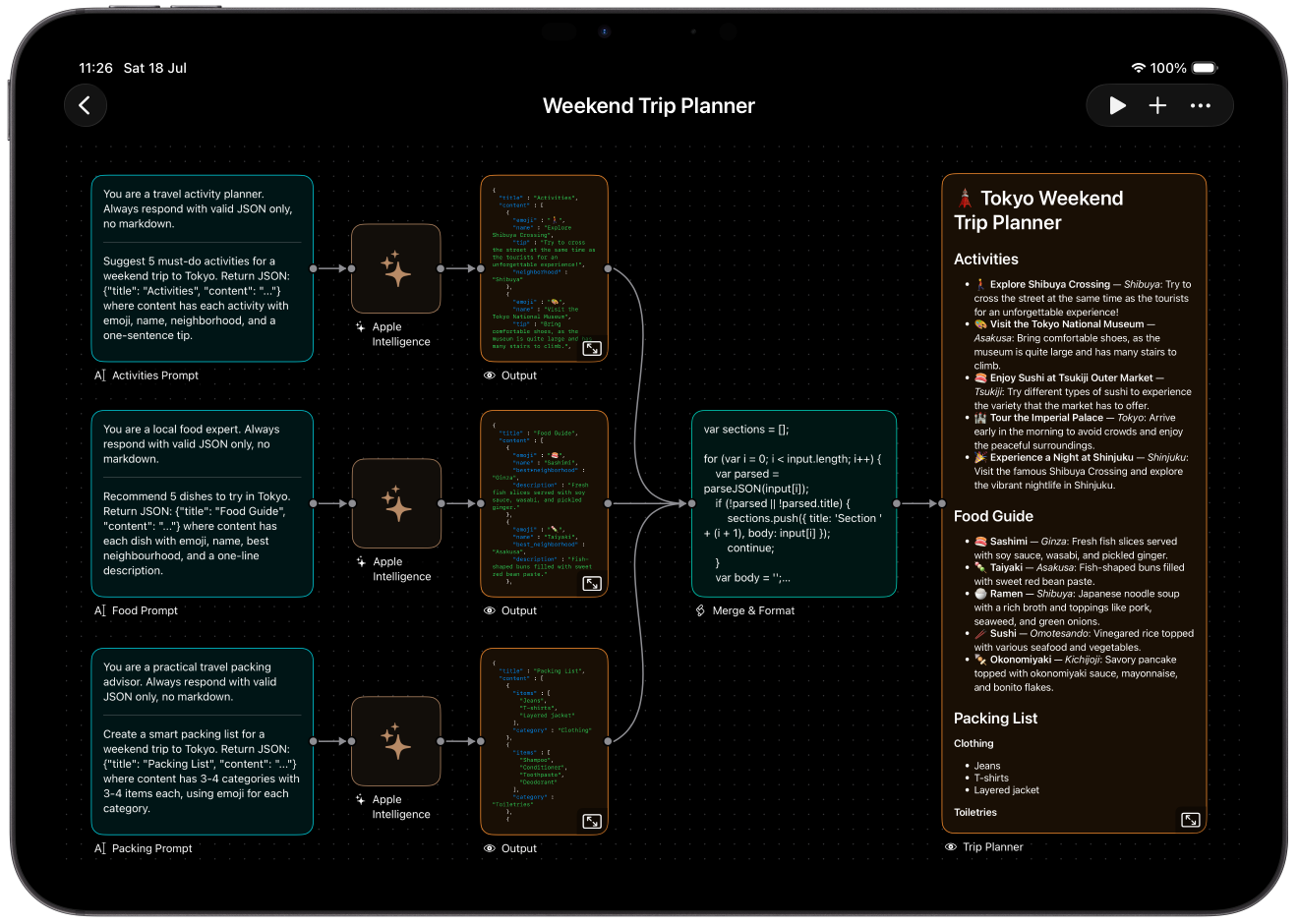
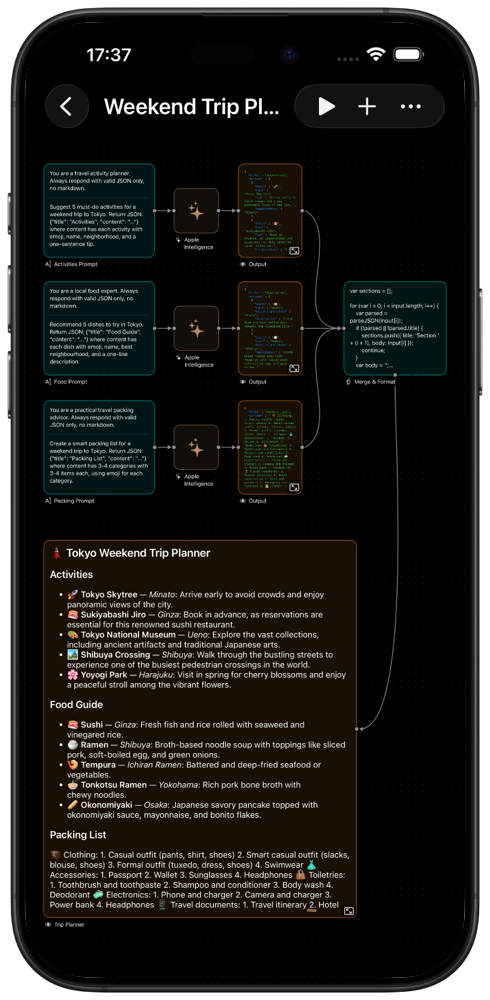
Aigentik workflow canvas on iPad Aigentik workflow canvas on iPhone
ConnectAutomateExecuteAnywhere

Everything you need to
automate with AI

A complete toolkit for building intelligent workflows — from visual design to execution orchestration.

🎨

Design Visually

Forget complex code editors. An intuitive infinite canvas lets you see your entire workflow at a glance. Drag components, draw connections, and organize with precision snapping and haptic feedback.

Infinite CanvasSmart SnappingHaptic FeedbackGrid Background

Execute Intelligently

Dependencies resolve in parallel. Errors trigger fallbacks. Components retry when needed. You design the logic — Aigentik handles the orchestration.

Parallel ExecutionAuto RetryError Fallbacks
🧠

Multiple AI Brains

Connect to Claude, GPT, Gemini, Grok, and 100+ models via OpenRouter — plus Apple Intelligence and Liquid AI running entirely on-device, free and offline. Every AI component is fully configurable: choose your model, adjust creativity, set token limits.

ClaudeGPTGeminiOpenRouterApple IntelligenceOn-Device
📈

Trade Smarter

Automate crypto trading with built-in MEXC and HyperLiquid integrations. Configure leverage, stop-loss, take-profit, and trailing stops — and let AI-driven signals execute your strategy.

MEXCHyperLiquidLeverageTrailing Stops
🔌

Extend Infinitely

JavaScript scripting transforms data any way you need. REST components call any API. WebSocket components stream real-time data. MCP integration connects external tools.

JavaScriptRESTWebSocketMCPTriggers
🗂️

Your Workflow Library

Every canvas lives in the gallery with a live thumbnail. Name, duplicate, and organize workflows; export them as portable JSON files; outputs save to iCloud automatically.

GalleryThumbnailsJSON ExportiCloud

Your workflows,
wherever you are

On iPhone and iPad, every canvas becomes an action in the Shortcuts app. Trigger workflows with Siri, the Action Button, automations, or other shortcuts — and pass results anywhere.

🗣️

"Run Morning Briefing"

Run any workflow by name, hands-free with Siri or from Spotlight. Name a canvas once and it becomes a voice command.

SiriSpotlight

Automations

Trigger workflows from the Shortcuts app — time of day, arriving somewhere, an NFC tag, or your iPhone's Action Button — without Aigentik in the foreground.

TimeLocationNFCAction Button
🔗

Chain With Anything

Feed text, photos, and files into a workflow from other actions — and get its text and images back to use downstream, from Quick Look to Save to Photos.

TextPhotosFiles

Multiple AI brains,
one canvas

Connect every major AI provider — or run entirely on-device, free and private, with Apple Intelligence and Liquid AI.

Claude

Anthropic

GPT

OpenAI

Gemini

Google

Grok

xAI

Liquid AI

On-Device

Kimi

Moonshot AI

Venice

Private AI

100+ Models

OpenRouter

16 building blocks for any automation

Every component is a self-contained unit with configurable inputs and outputs. Connect them in any combination.

16
Components
9
AI Providers
100+
AI Models
$0
To Start · No API Keys
📥

Input

TextURLFilesPhoto
🧠

AI

PromptLLM · 9 providers
⚙️

Automation

TriggerScriptWebSocketMCPRESTAny
📊

Trading

MEXCHyperLiquid
📤

Output

PreviewiCloudX (Twitter)

Built for every workflow

From algorithmic trading to content creation — see how people use Aigentik to automate what matters.

📊

For Traders

Build algorithmic trading bots that react to market signals. Chain AI analysis with trade execution — with leverage, stop-loss, take-profit, and trailing stops configurable per position.

WebSocketPromptClaudeHyperLiquid
💼

For Professionals

Automate report generation, content creation, and data analysis pipelines. Connect business data sources to AI and output polished results to cloud storage.

FilesPromptClaudeScriptiCloud
🎨

For Creators

Generate and process creative content through AI pipelines. Transform text to images, analyze media, and build custom creative workflows.

TextPromptGeminiPreview
🔬

For Researchers

Process data through multiple AI models in parallel. Compare outputs, transform results with scripts, and build reproducible analysis pipelines.

FilesClaude + GPT + GeminiScriptiCloud

Built with precision

iOS 18+
iPhone, iPad & Mac
5000²
Point Infinite Canvas
100%
Native Swift & SwiftUI
JSON
Portable Workflow Format

Your automation,
beautifully orchestrated

Stop wrestling with code. Start building with Aigentik. Download now and experience visual AI automation.

Download on App Store

Common questions

Do I need API keys?+
Not to start. Workflows can run entirely on-device with Apple Intelligence and Liquid AI on supported devices — free, private, and offline-capable. API keys from providers like Anthropic, OpenAI, or Google, and from trading platforms, are only needed for cloud models and live trading. Keys are stored securely on your device and never sent to our servers.
Do workflows run in the background?+
Workflows run while Aigentik is in the foreground — on your iPhone, full screen or in Split View on iPad, and in any window on Mac. All open canvases execute in parallel. On iPhone and iPad, you can also expose any canvas to the Shortcuts app — automations there can trigger your workflows on a schedule, at a location, or by voice, without the app in the foreground.
Can I run workflows with Siri and Shortcuts?+
Yes, on iPhone and iPad. Every canvas appears as a "Run Workflow" action in the Shortcuts app — pass in text, photos, or files, and use the returned text and images in other actions. Name a canvas and you can run it by voice: "Run Morning Briefing in Aigentik."
Is my data secure?+
All API keys and workflow data are stored locally on your device. Aigentik never sends your credentials to our servers. Your workflows and outputs remain entirely under your control.
Can I share workflows?+
Yes! Export any workflow as a JSON file and share it with others. They can import it directly into their Aigentik app. Workflows are portable and self-contained.
Does it work offline?+
The canvas and workflow design work fully offline. However, AI execution and trading require an internet connection to reach external APIs.
Is there a Mac version?+
Yes! Aigentik runs natively on Mac with Apple Silicon via the "Designed for iPad" compatibility, providing a seamless desktop experience.
Is it really free?+
Yes. Aigentik is free with full access to all components and unlimited workflows, and the on-device AI models run at no cost. Cloud AI providers and trading platforms require your own API keys and may have their own charges.